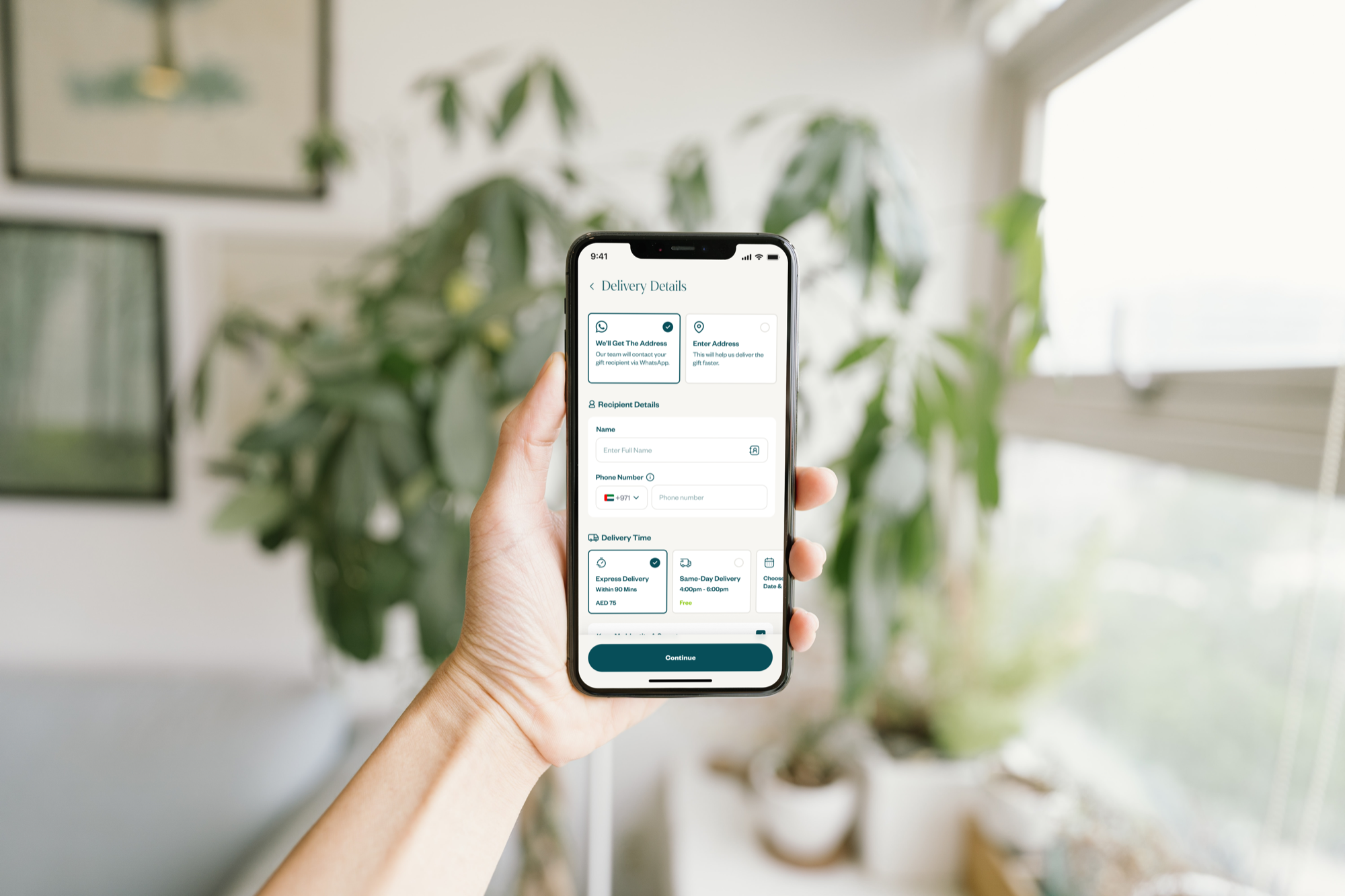
A leading online flowers & gifts platform built around fast same-day delivery and moment-driven gifting experiences.
Summary
In short
The biggest leak in the funnel was the shipping page, because the sender didn't actually have the address. Floward's gifting checkout was wired like a standard e-commerce flow: pick a product, enter the recipient's address, pay. But senders are giving a gift; they often don't know exact street numbers or building names, and they don't want to ask the recipient and ruin the surprise. Research showed users hesitating on the shipping form, then bouncing. We rebuilt the flow so the order can be placed without a recipient address, the recipient confirms it themselves after the order goes through, with phone-call and saved-recipient fallbacks for when they don't reply in time.
From there the redesign kept going. Saved recipients turn repeat gifting into a near-instant flow, returning senders pick mom or a colleague from a list and skip the form entirely. Anonymous gifting lets the sender stay hidden until the recipient reads the card. Address forms localize per market, UAE, Qatar, and Kuwait each get the right fields in the right order. The payment page got the same treatment, defaulting to the device's wallet (Apple Pay on iOS, Google Pay on Android) with card entry one tap away, and the future direction merges shipping and payment into a single screen.
Context
A gifting platform with an e-commerce checkout
Floward is not a regular e-commerce store. People aren't buying things for themselves, they're sending gifts to colleagues, friends, loved ones, and acquaintances across different countries. But the checkout had been built exactly like a standard shop: add to cart, enter shipping address, pay.
The mismatch between the platform's purpose and its checkout experience was creating real friction. Abandonment was high, and the shipping page was where most of it happened.
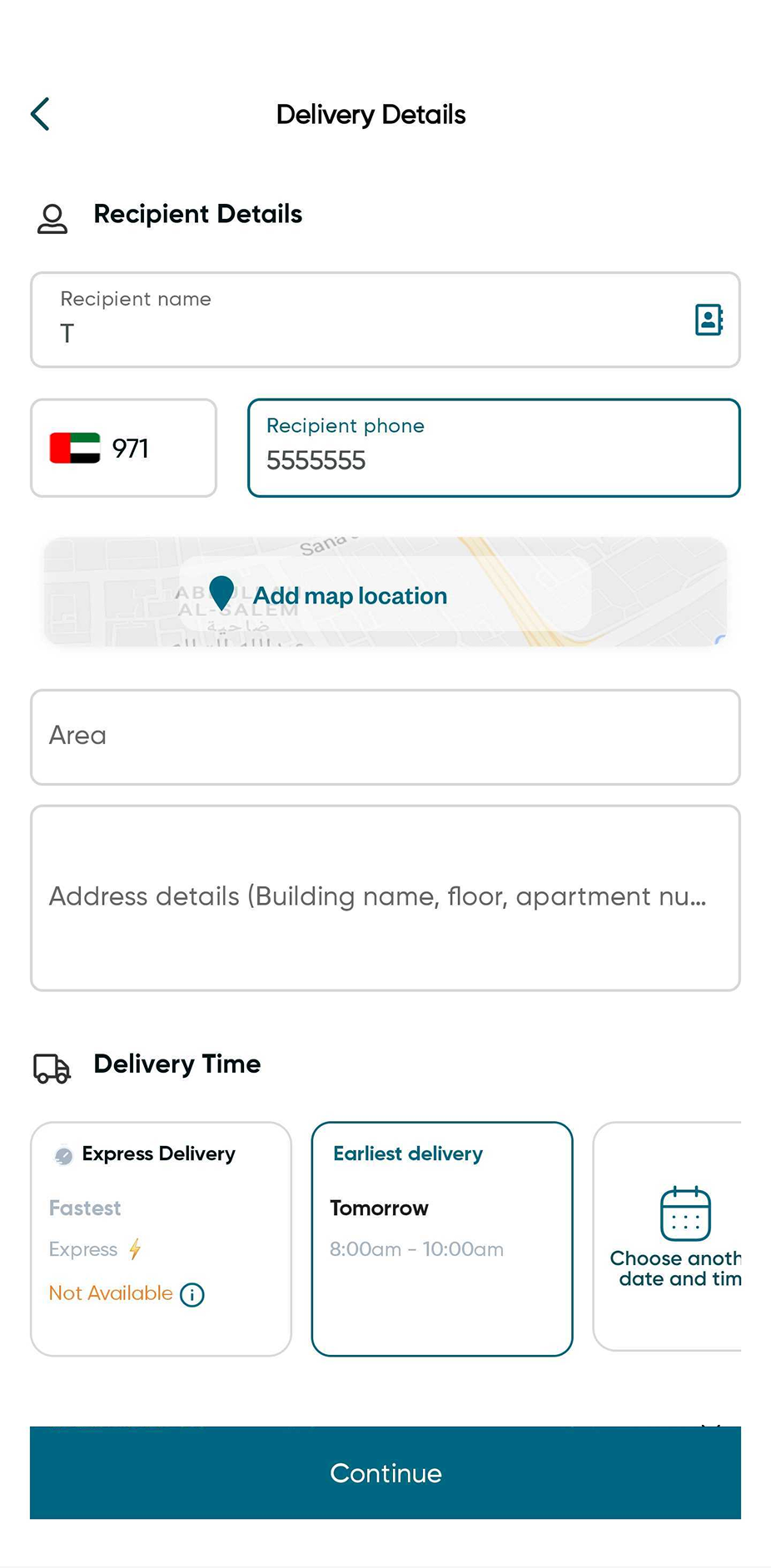
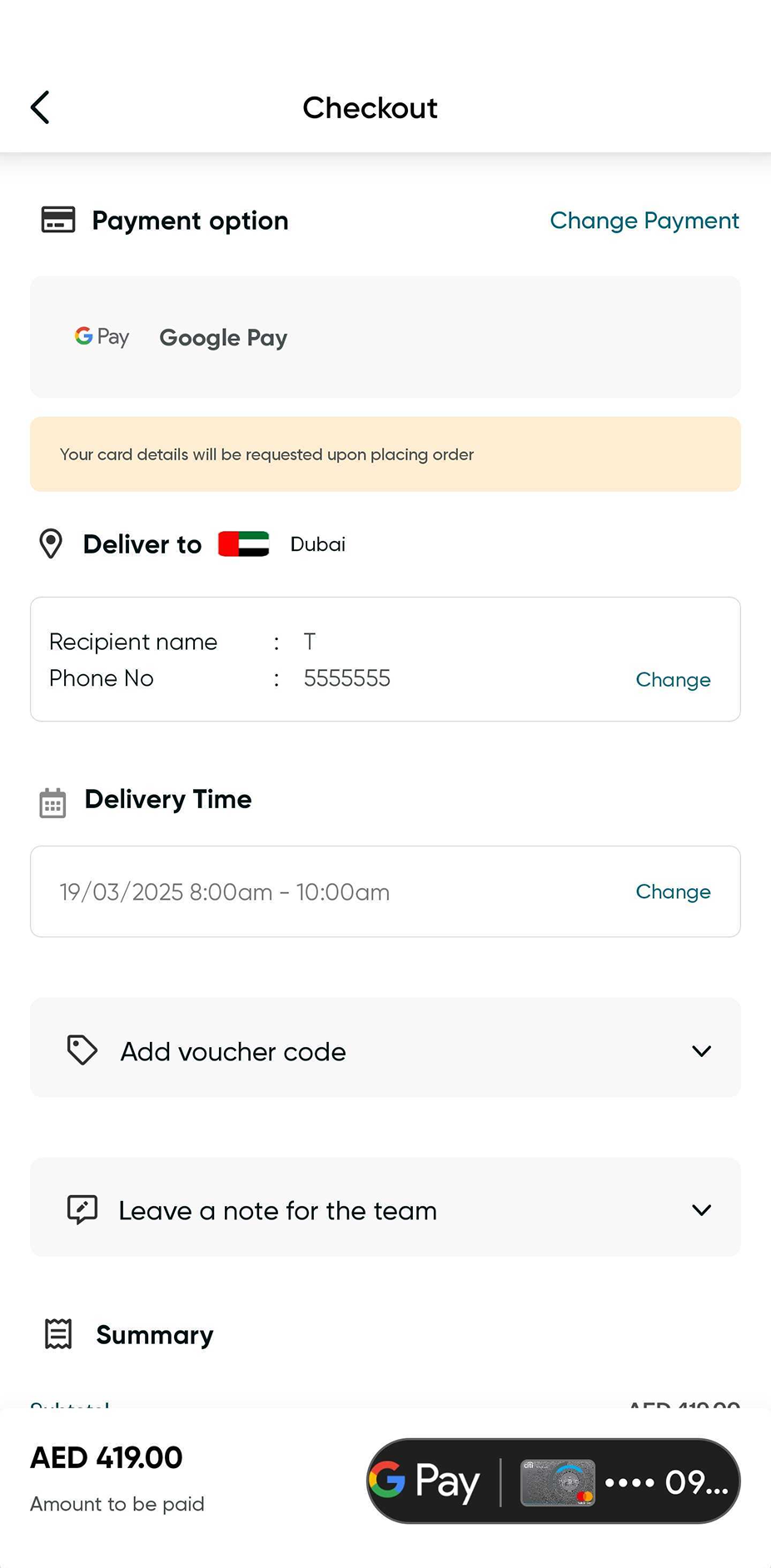
Before, the old checkout. Shipping form first, then payment. Built for a buyer who already knows the address.
The Problem
The shipping page was the biggest leak in the funnel
Data showed a significant drop-off on the shipping page. Users were landing on the address form, hesitating, and bouncing. They weren't abandoning because they changed their minds about the gift, they were abandoning because they hit a wall.
The question we needed to answer: what is it about the address form specifically that's causing people to leave?
Research
Session recordings, usability tests, and surveys
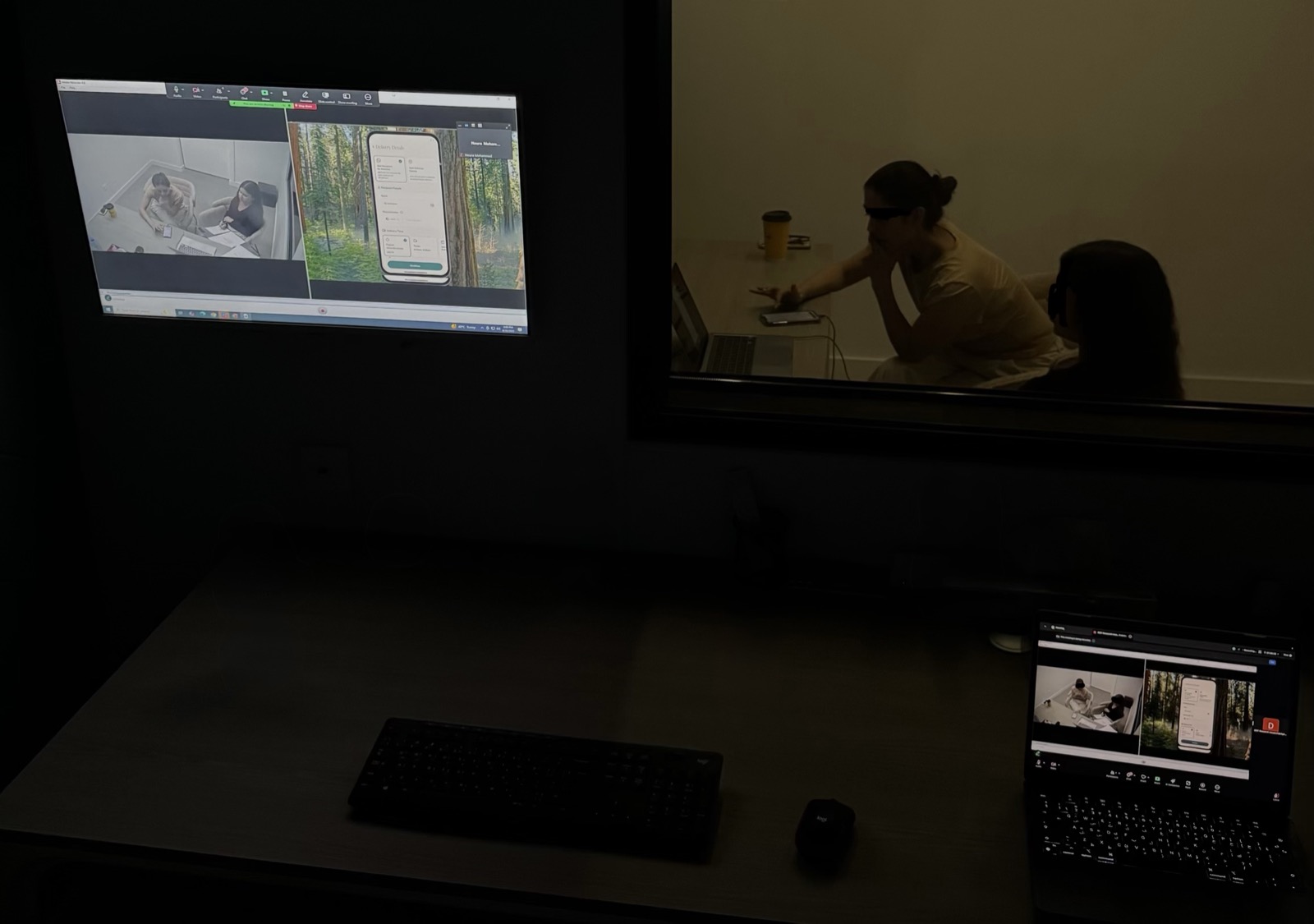
We ran a combination of session recordings, moderated usability tests, and user surveys to understand what was really happening on that page.
Two findings explained almost everything:
Senders don't know the recipient's address. In gifting, the buyer is almost never the recipient, they're sending to colleagues, friends, acquaintances.
The gift is a surprise. Some senders couldn't call or message the recipient to ask, doing so would ruin the surprise.
These two factors were the primary drivers of the shipping page bounce rate. The form wasn't broken, the assumption behind it was.
The Insight
"We were asking the buyer for information they didn't have."
Standard e-commerce checkout is built on one assumption: the buyer has the delivery address. In gifting, that assumption breaks. The sender is buying for someone else, someone whose address they may not know. And if the gift is a surprise, asking for the address would ruin it.
The sender doesn't have the address, and that's okay. The checkout should be designed around that reality, not in spite of it.
Instead of asking the sender for information they couldn't provide, we needed to build a path that worked without it, and let the recipient provide their own address.
The Solution, "Ask the Recipient"
From a toggle, to an A/B test, to the layout that won
The "Ask the Recipient" idea was right from day one. Getting it into the page so users actually understood it took three iterations. This is the part of the project that kept evolving long after the first ship.
First iteration, the toggle
The first version added an iPhone-style toggle at the top of the shipping page. The sender could flip between two modes: "Ask the recipient for the address" and "I'll add the address myself." For the first time, there was an option that wasn't the address form.
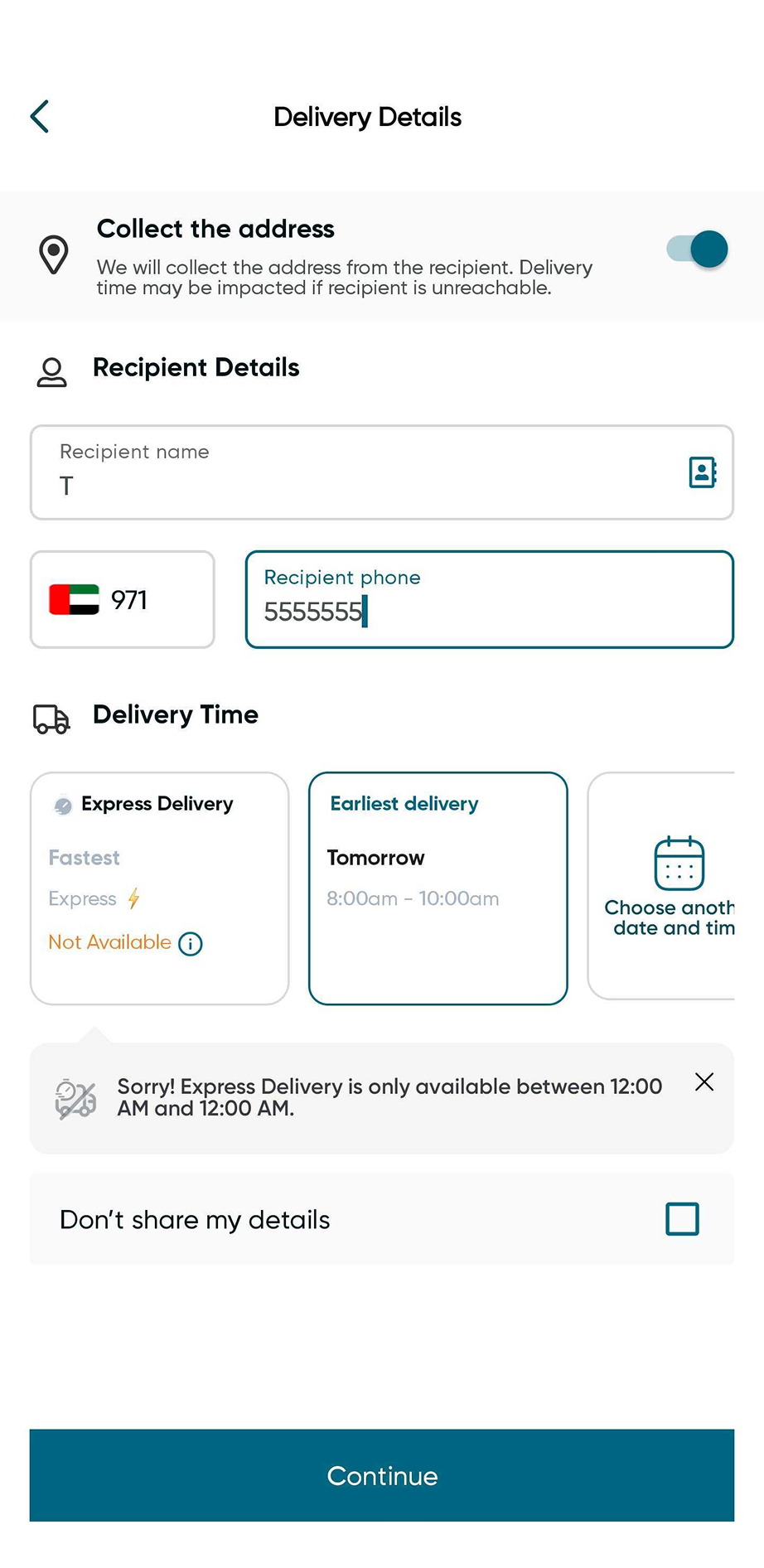
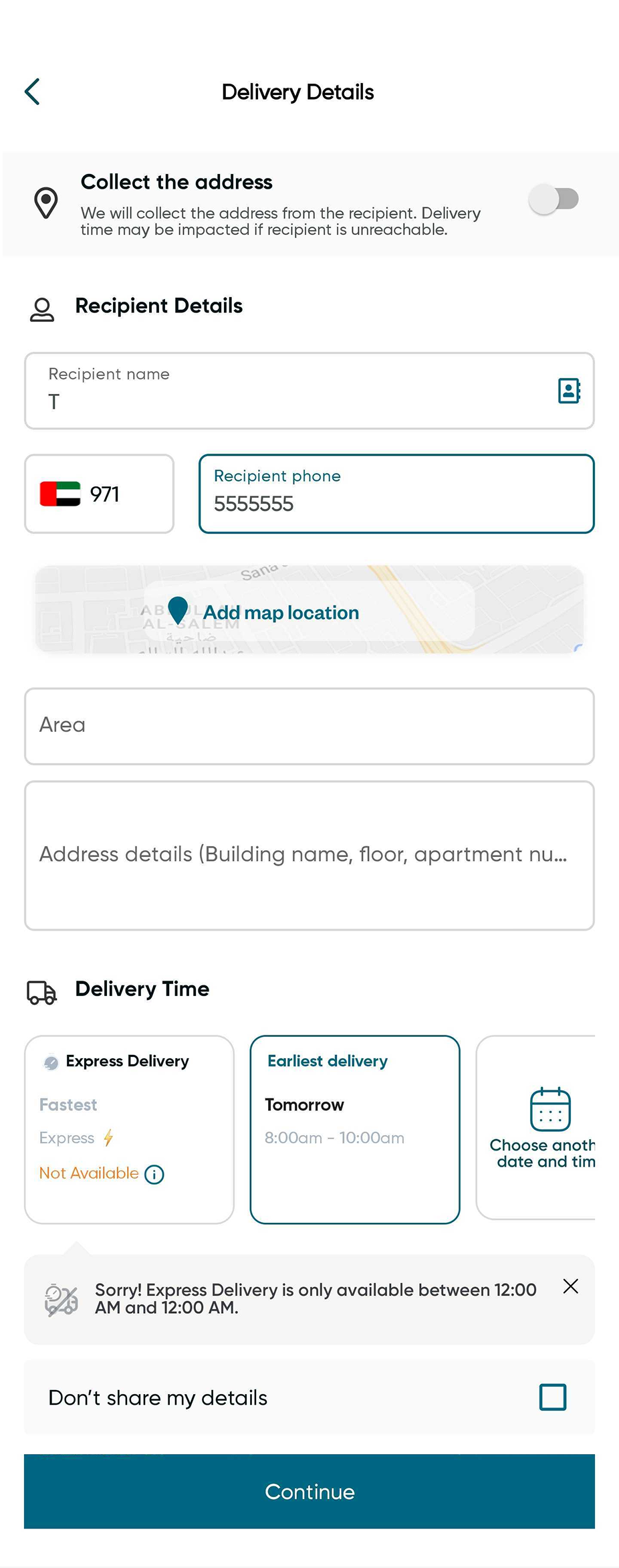
Two states of the same screen. Flipping the toggle hides or reveals the address fields based on which path the sender chooses.
The next problem, users didn't understand the toggle
The toggle solved the functional problem but introduced a usability one. People weren't clear on what the two states meant or which one applied to them. Session recordings showed senders flipping the toggle back and forth, then leaving. The data confirmed it. We needed to surface the choice more clearly, not hide it behind a control people had to reason about.
A toggle is a great control once people understand what they're toggling. When the choice itself is unfamiliar, the toggle adds a cognitive layer instead of removing one.
Second iteration, A/B test between two layouts
This came with the new redesign, and we started to test different layouts. We designed two new variants and ran them as a controlled A/B test against each other.
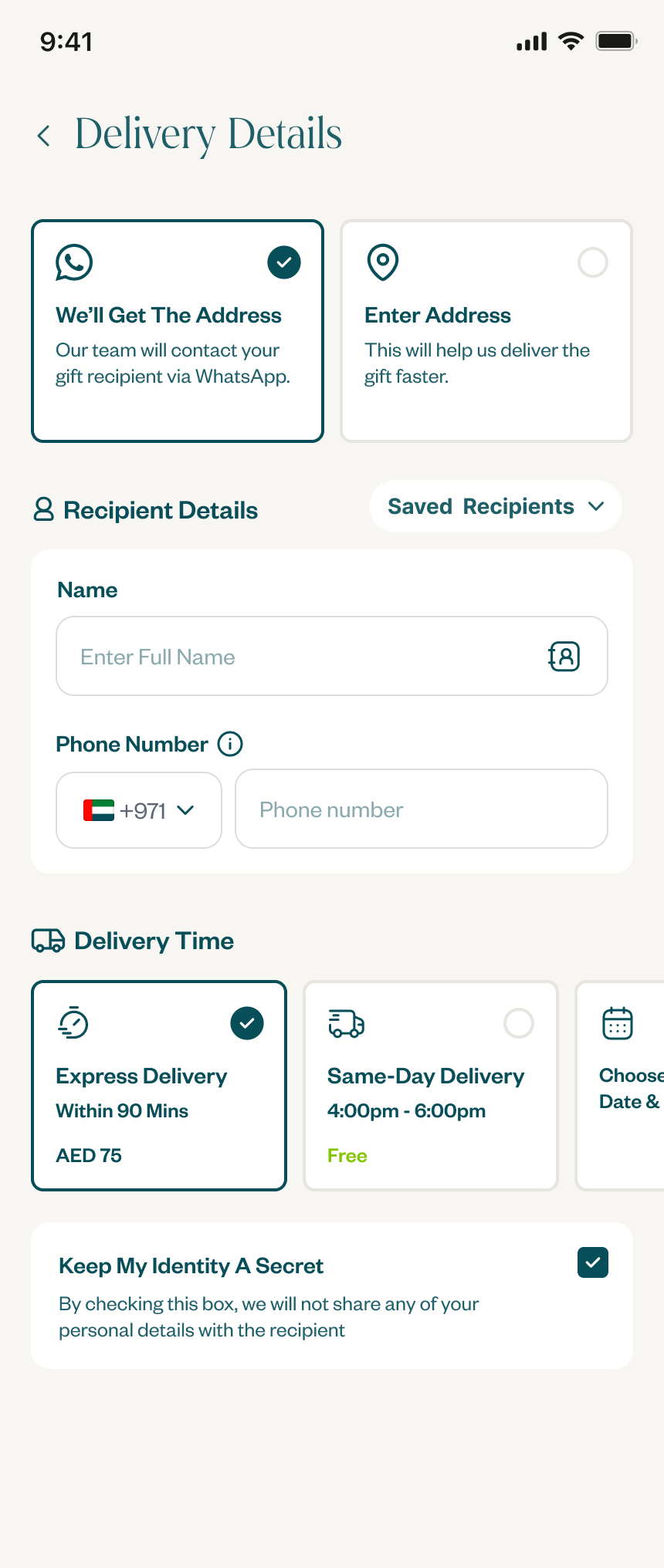
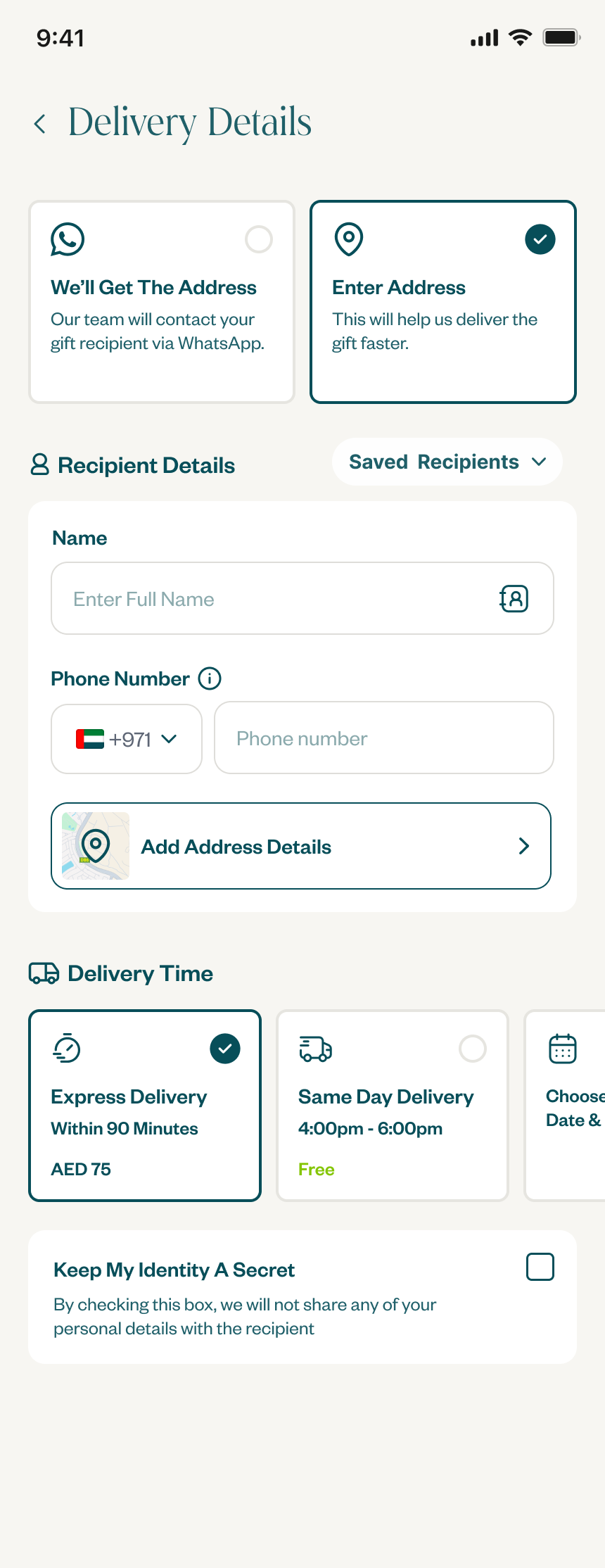
Variant A, two clear tappable choices at the top of the page. The user picks between "Ask the recipient" or "I'll add the address" before entering anything else.
Variant B, the user enters the recipient's name and phone number first. Below that, two radio buttons let them pick between adding the address themselves or asking the recipient.
Variant A, choice up top Winner
Variant B, choice below details
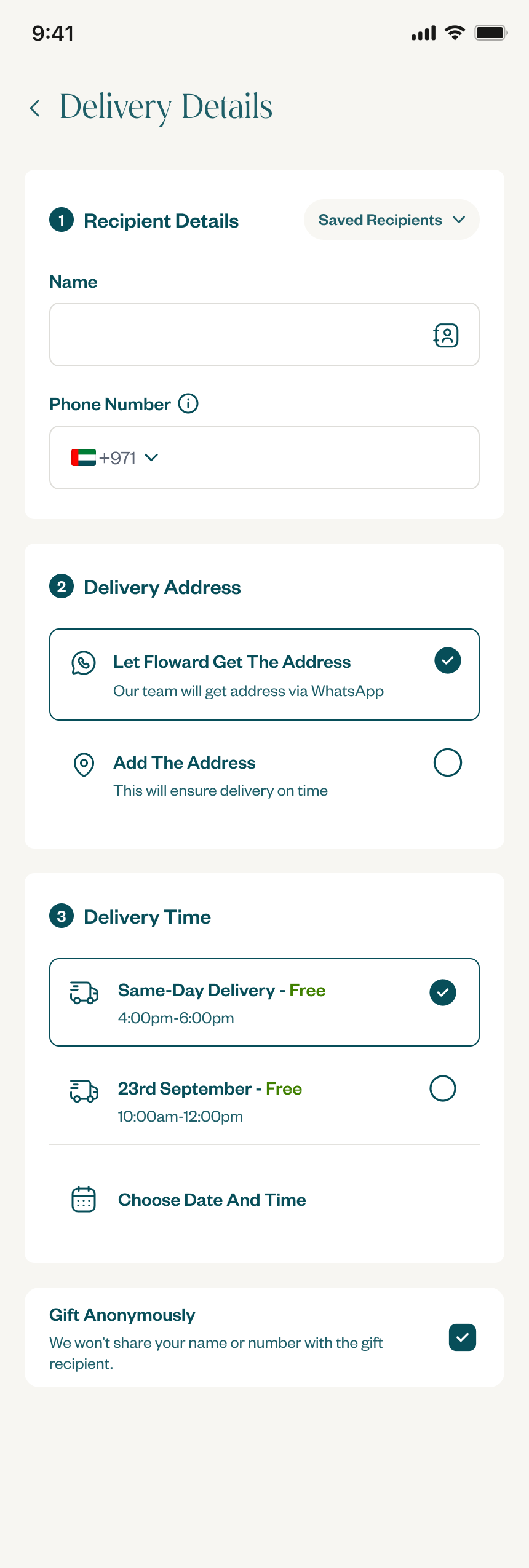
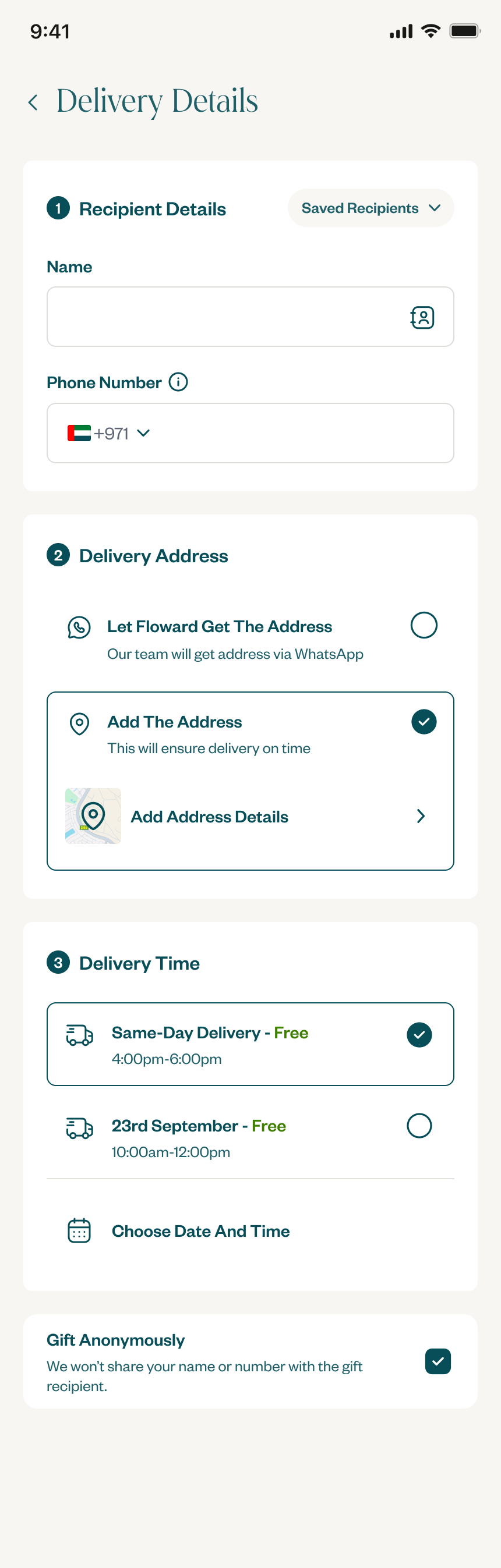
Same idea, two layouts. The test asked: do people decide first then enter details, or enter details and decide later?
How "Ask the Recipient" works end to end
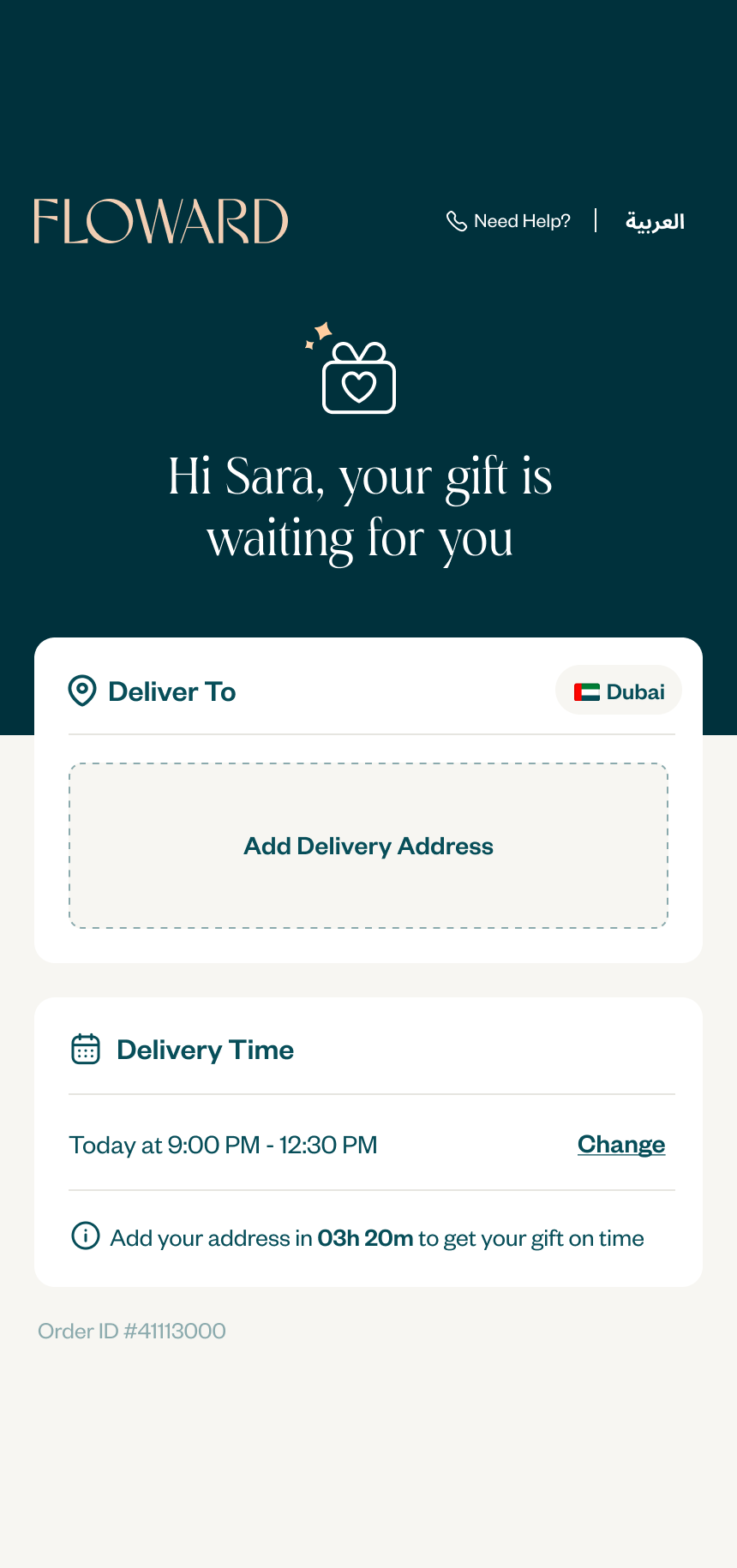
When the sender picks "Ask the recipient" and completes payment, the order hands off cleanly to the recipient with no further action needed from the sender.
Floward sends a WhatsApp message, an official message from the Floward account tells the recipient that someone has sent them a gift, and invites them to tap a link to add their delivery address.
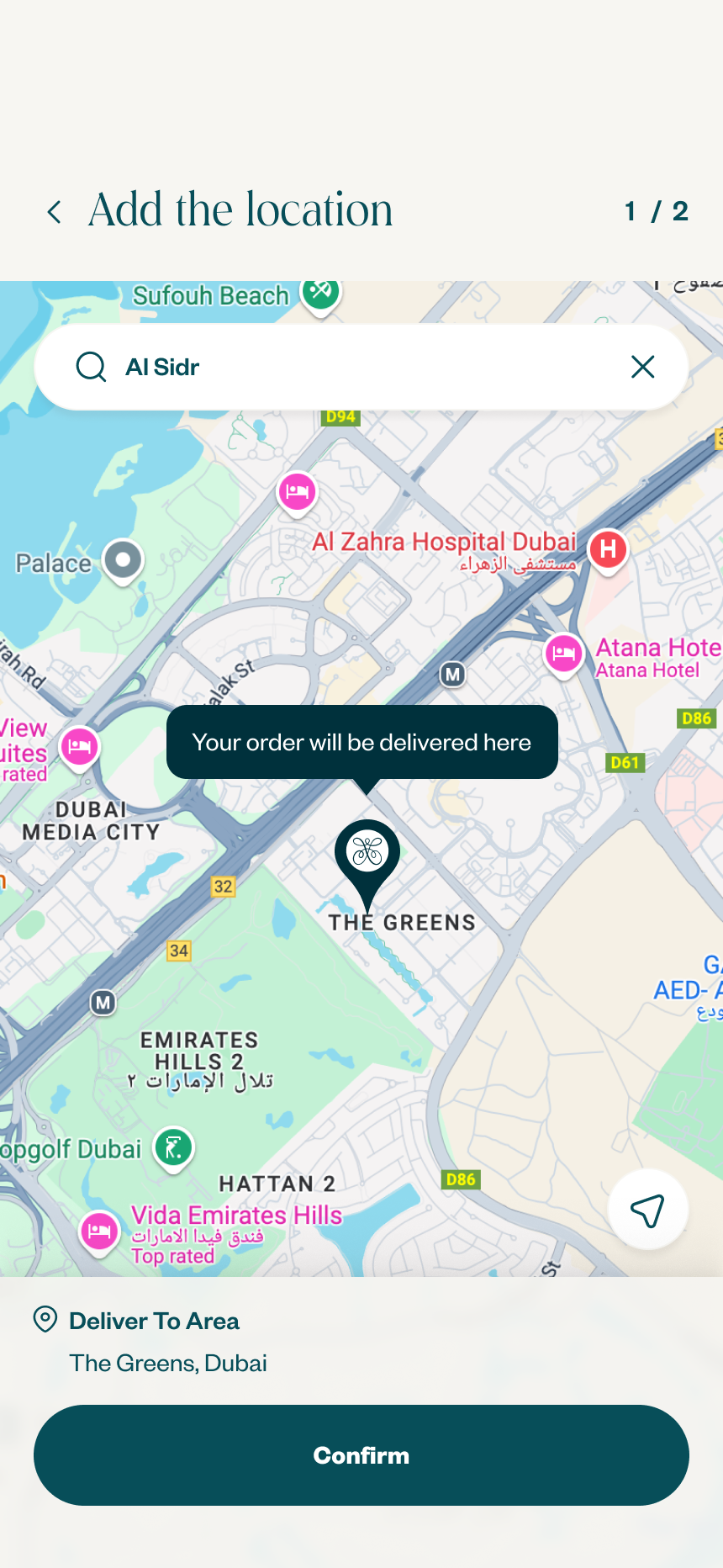
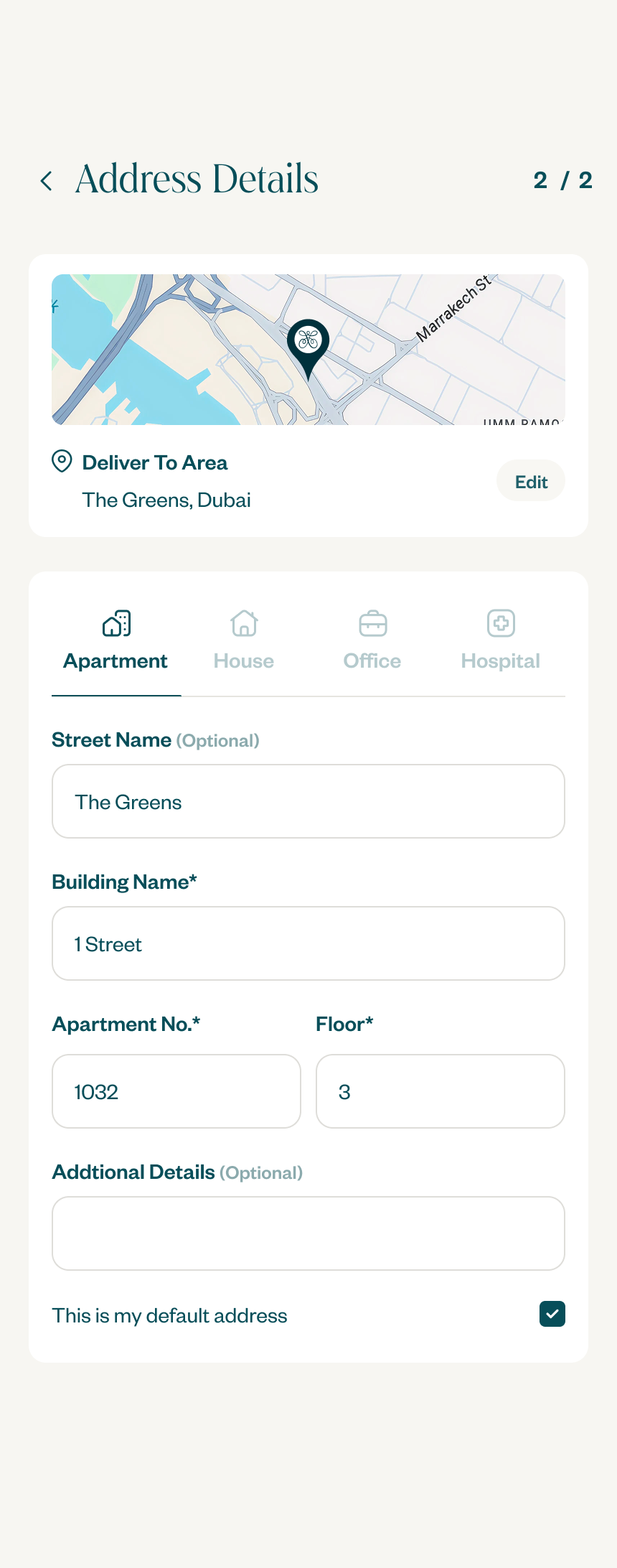
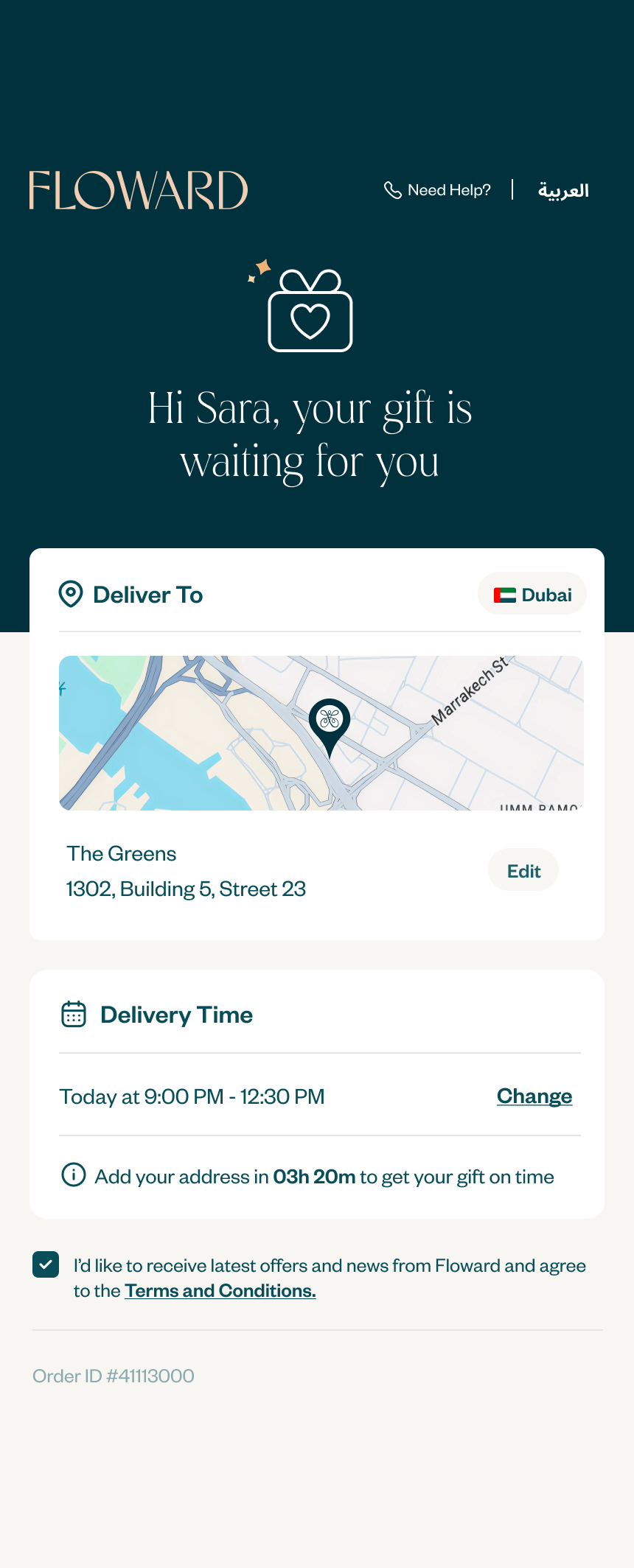
Recipient enters their address, the link opens a simple, focused page where the recipient enters only their delivery address. No account needed.
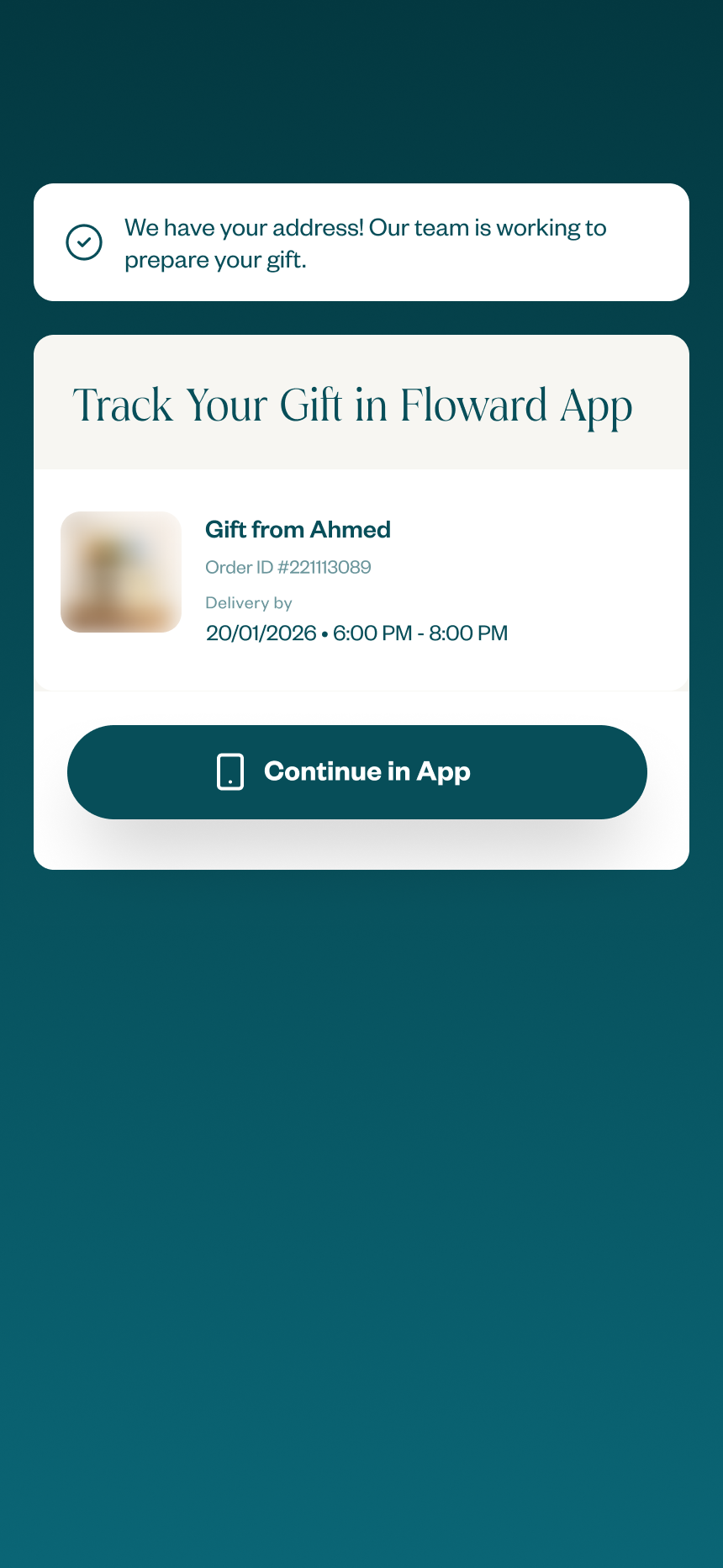
Order is confirmed and preparation begins, as soon as the address is submitted, the order moves into fulfilment immediately.
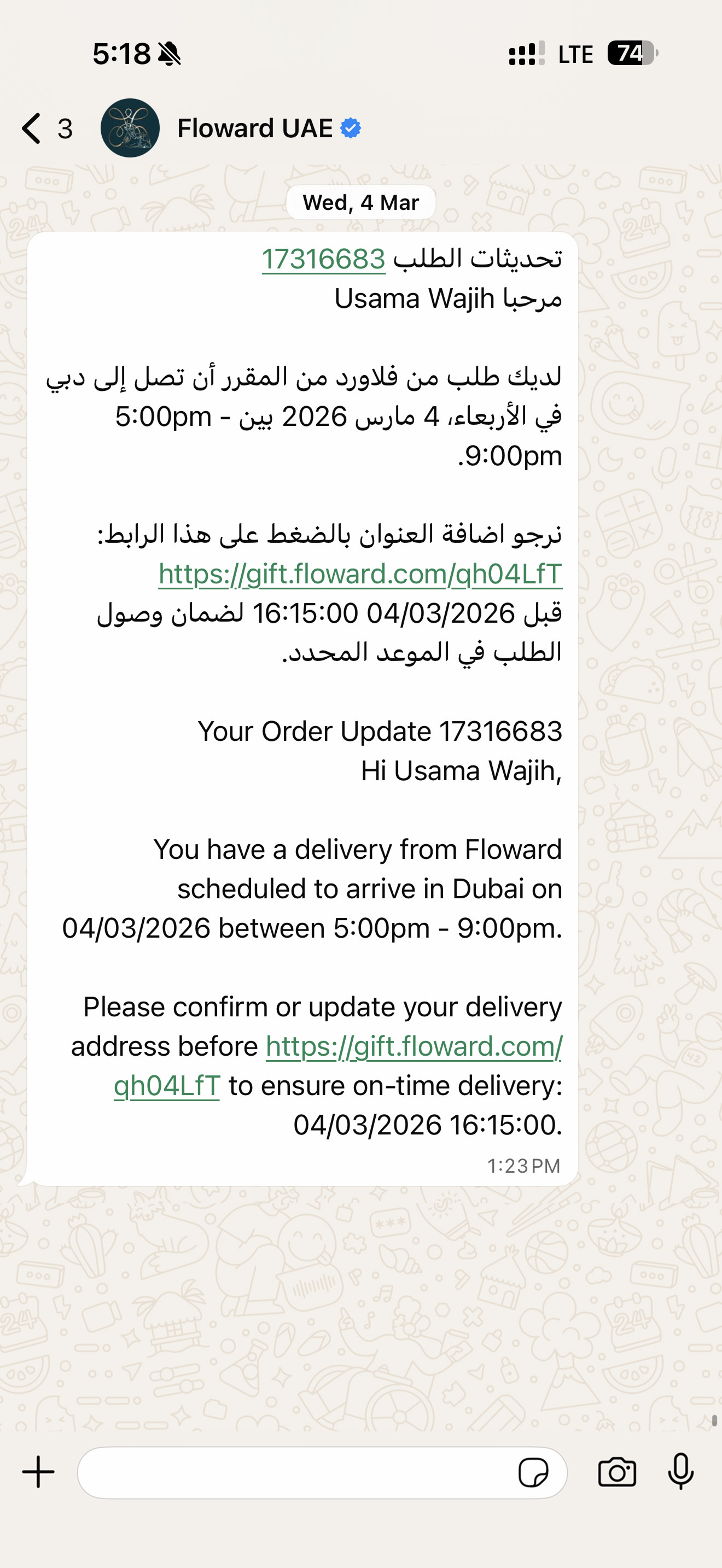
The fallback chain
Not every recipient responds immediately. We designed a structured escalation sequence to maximise address collection without manual intervention.
Reminder WhatsApp message, if the recipient hasn't responded, a follow-up message is sent before the delivery window cutoff.
Customer service call, if still no response, Floward's CS team calls the recipient directly to collect the address by phone or guide them to the link.
Automatic slot reassignment, if the recipient remains unreachable, the order moves to the next available delivery time slot automatically (e.g., 6–9 PM shifts to 9 PM–12 AM).
Anonymous gifting
For senders who want to keep the surprise complete, we added an option to remain anonymous. Floward doesn't reveal who sent the gift, the recipient only finds out when they physically receive it and read the card.
Saved Recipients
Turning repeat gifting into an instant flow
Data revealed a clear pattern: people weren't just sending one gift. They were sending gifts repeatedly, to the same small circle, mother, wife, husband, colleagues, close friends. The same names, the same phone numbers, over and over.
Asking a returning sender to re-enter their mother's phone number every Mother's Day was pure friction. The system now saves previous recipients automatically. On the next gift, the sender picks from a saved list, chooses a delivery time slot, and goes straight to payment, nothing to type.
For repeat senders, checkout went from a multi-step form to a near-instant flow. The hardest part, knowing who you're sending to, is already done.
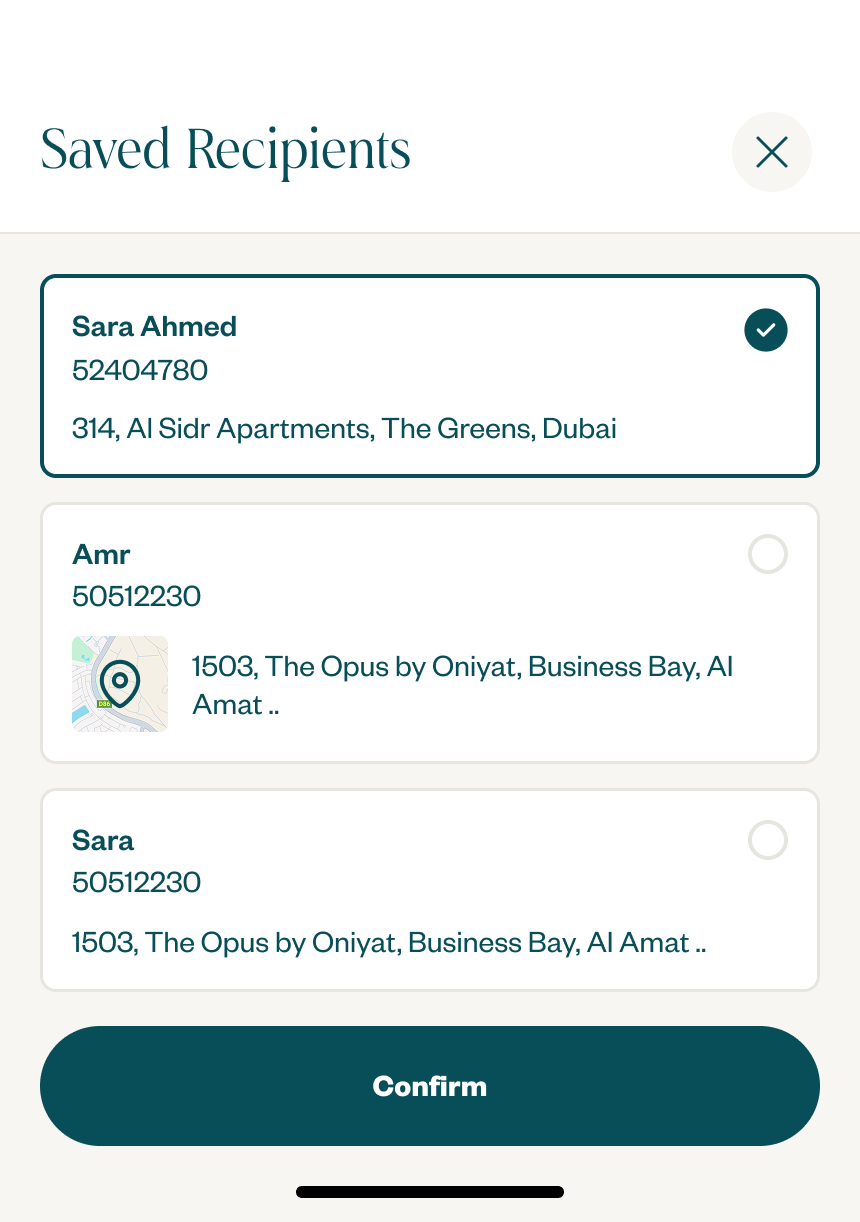
Repeat senders skip the form entirely, pick a saved recipient, choose a slot, pay. The hardest part of checkout, knowing who the gift is for, is already done.
Results
The numbers
Iteration
Address form localization
Floward operates across 9 countries, each with different address conventions, field requirements, and formats. A separate research effort after the initial launch mapped the right form structure for each market.
The UAE has building names and apartment numbers. Qatar uses zone, street, and building numbers. Kuwait has block numbers and avenue numbers. A single generic form was causing confusion and errors in multiple markets.
The address input was redesigned to dynamically match local expectations per country, showing the right fields, in the right order, with the right labels for each market. This iteration further improved form completion rates.
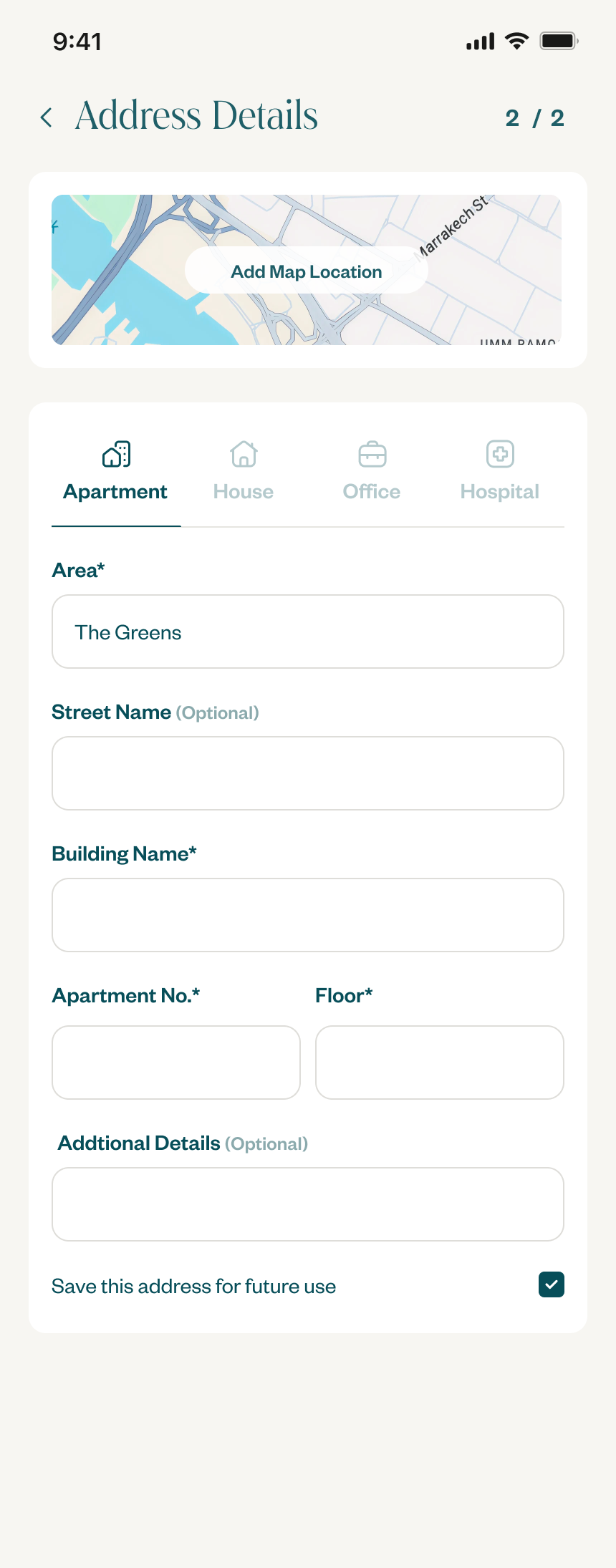
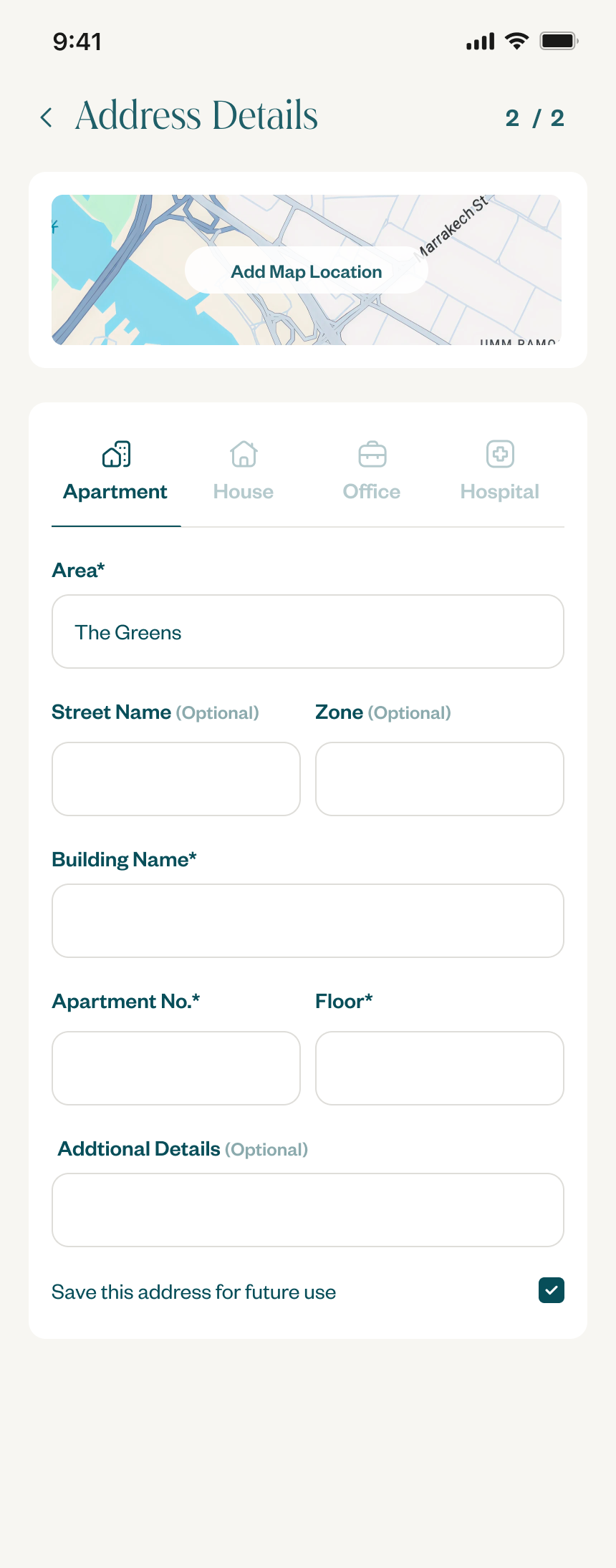
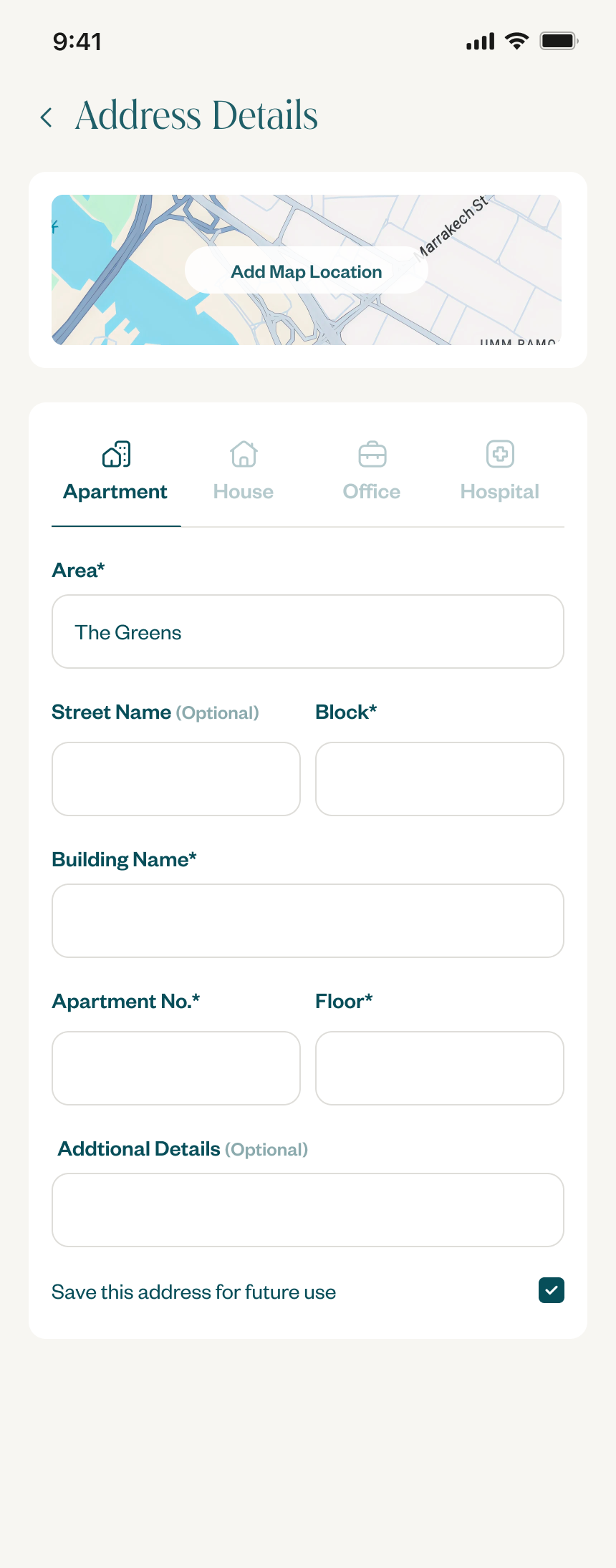
One address component, three localized layouts. The fields, order, and labels match how each country actually addresses places.
Payment Page
The payment page got the redesign too
The shipping page was where the funnel was leaking, but the payment page was the next logical step. As part of the same redesign, we rebuilt it around what users were actually doing: 70–75% on iOS were paying with Apple Pay, Android users preferred Google Pay, and almost nobody was hand-typing card details.
The old page led with the full card form and buried wallets below it. The new page flips the priority: the device's default wallet is pre-selected and pinned to the action, card entry sits one tap away, and the wallet balance and loyalty points surface inline so they apply in a single tap.
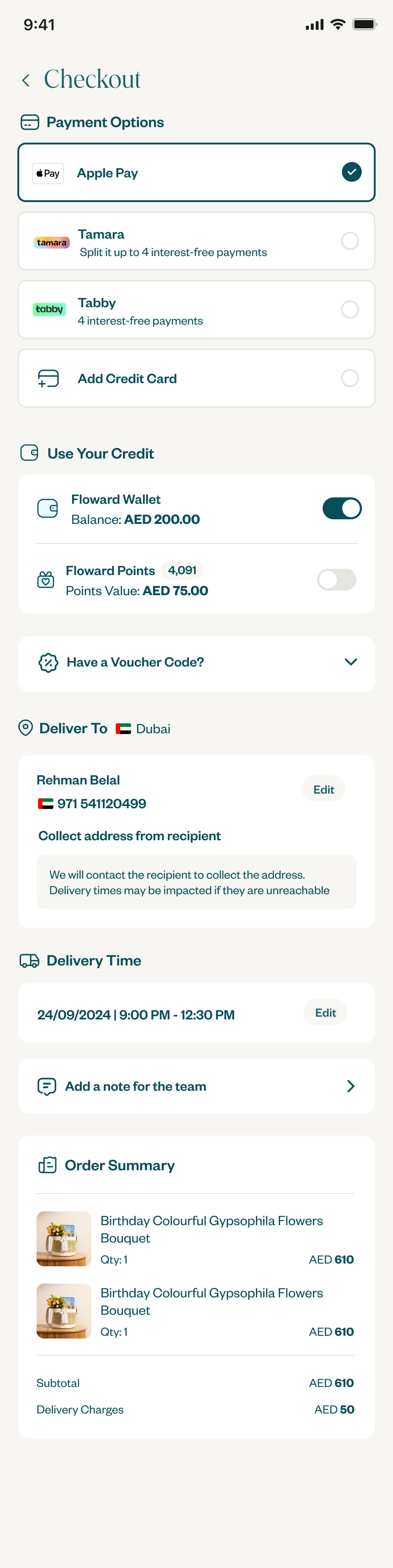
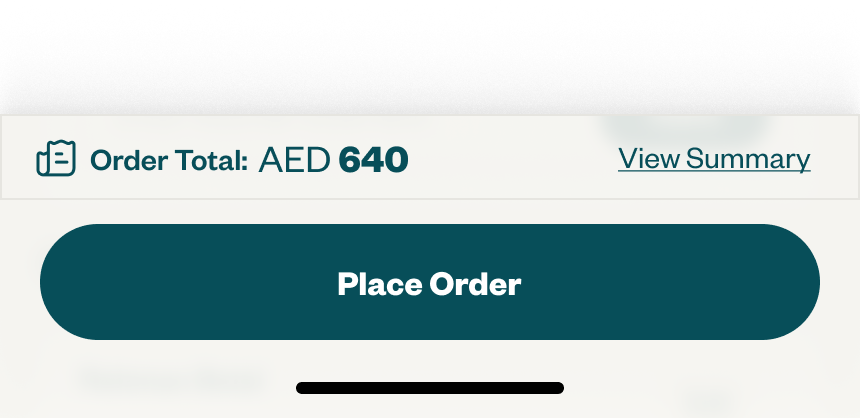
Default to what people actually use, keep card entry one tap away.
Future Vision
The merged checkout, where this was heading
Before I left Floward, I designed a concept to merge the shipping and payment pages into a single checkout screen. Not shipped, but directionally the right next step.
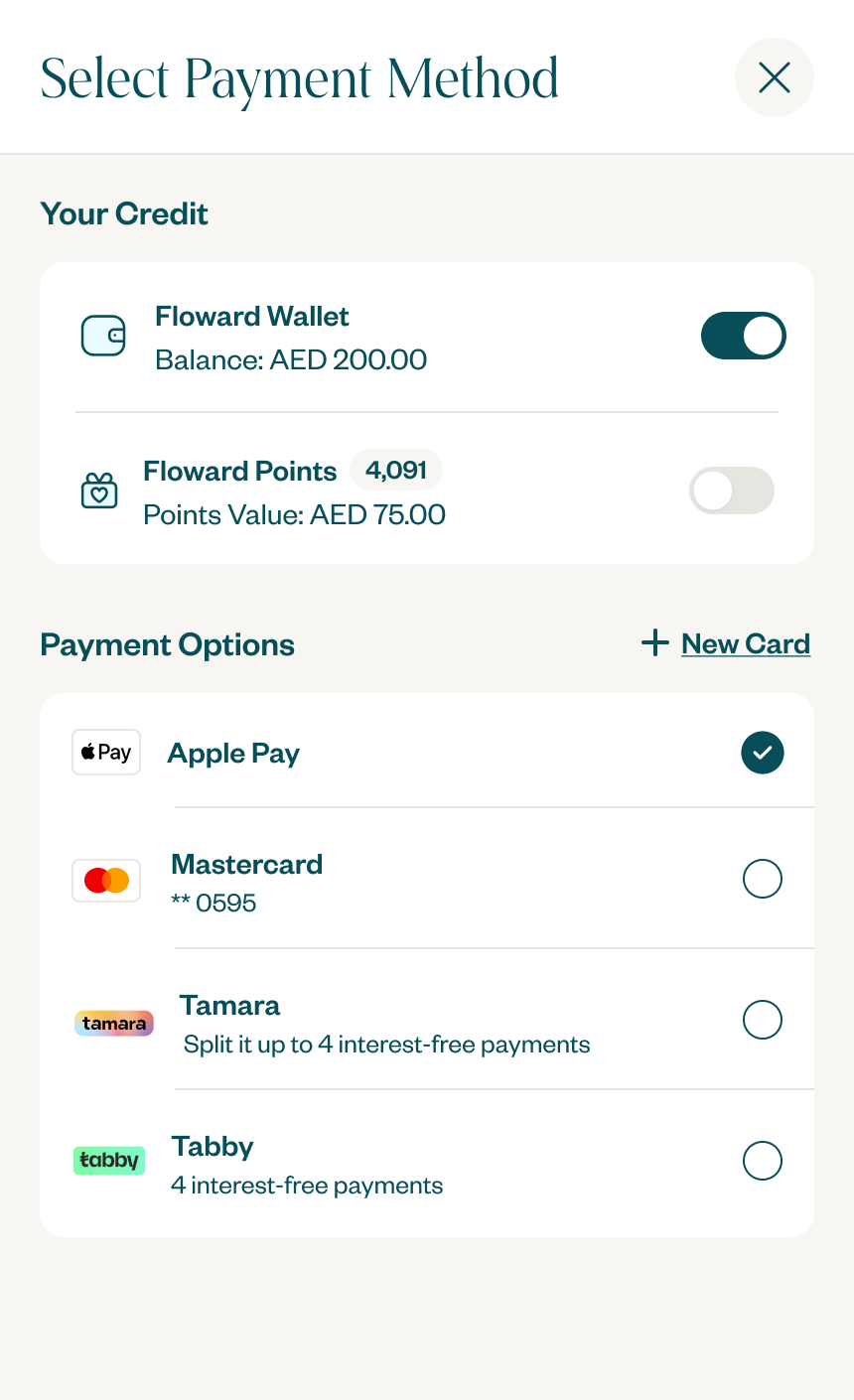
The payment method would appear as a small icon near the "Place Order" button, pre-selected based on the user's device. If the user wanted to change the payment method, they could tap the default to see other options. Everything in one view, no page-to-page navigation, no repeated loading states.
Cut taps. Quantitative data showed users barely interact with the payment page, the device wallet is the answer 70–75% of the time. So we surface it inline on shipping and let people pay without ever loading a separate page.
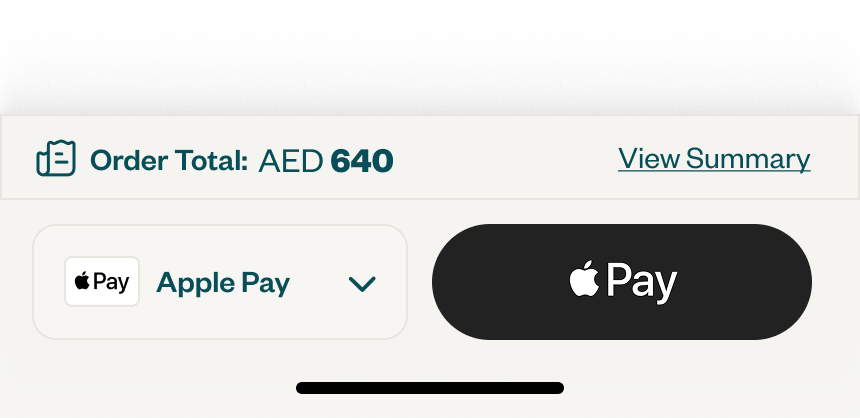
Final Designs
Explore the full design files
Open the live Figma files to walk through every screen, state, and edge case across the redesigned checkout.